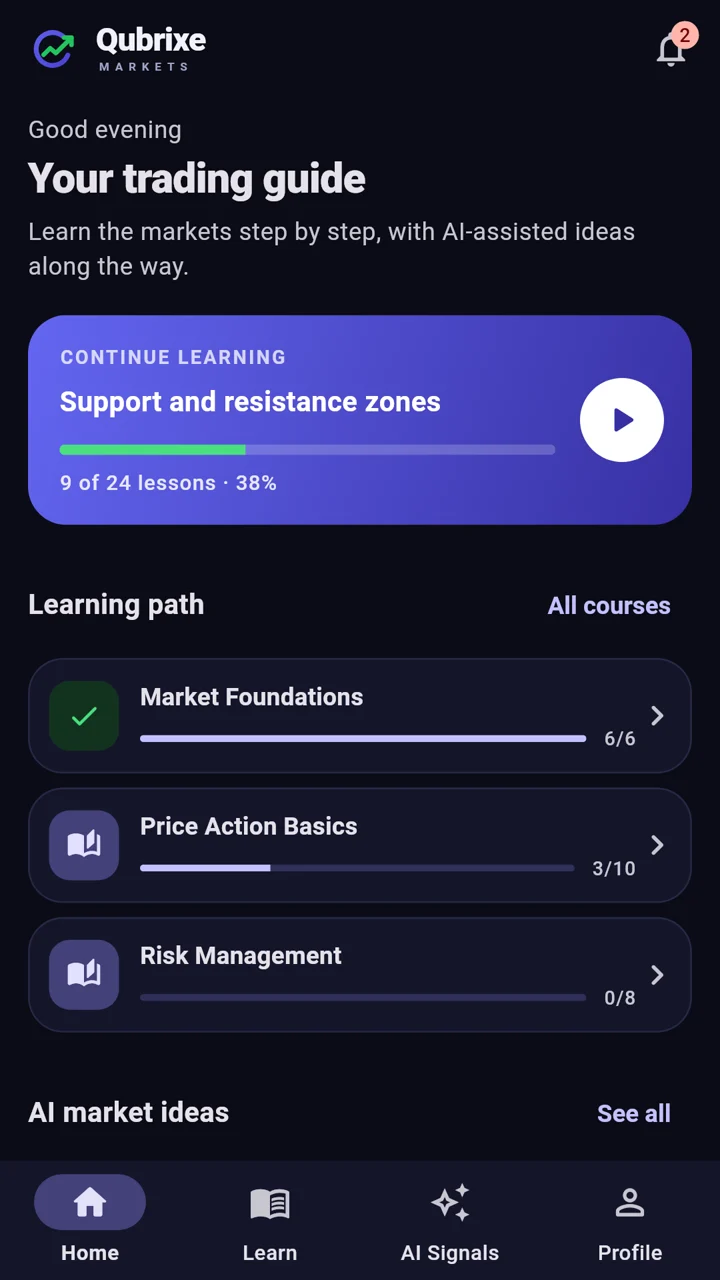
Qubrixe Markets is a trading guide for beginners: short lessons from your first chart to your first trading plan, and AI-generated trade ideas to practise on.
Reading candlesticksPrice action · 3 of 10 lessons
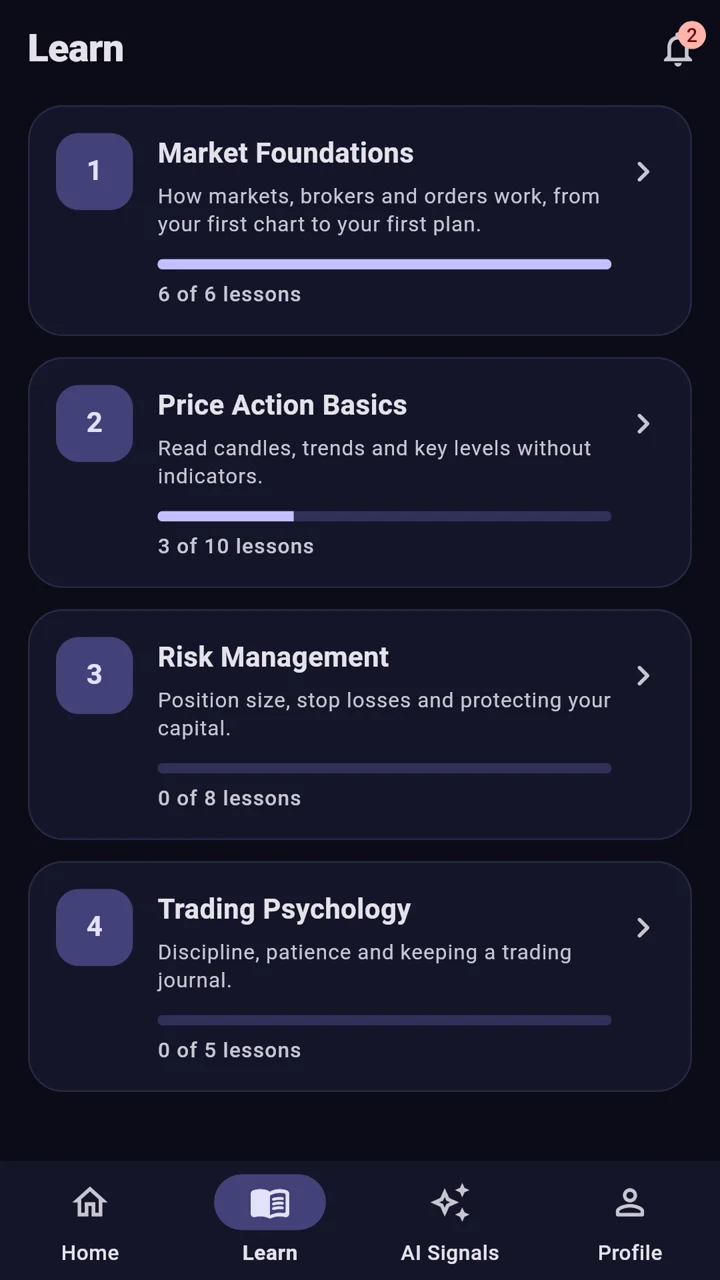
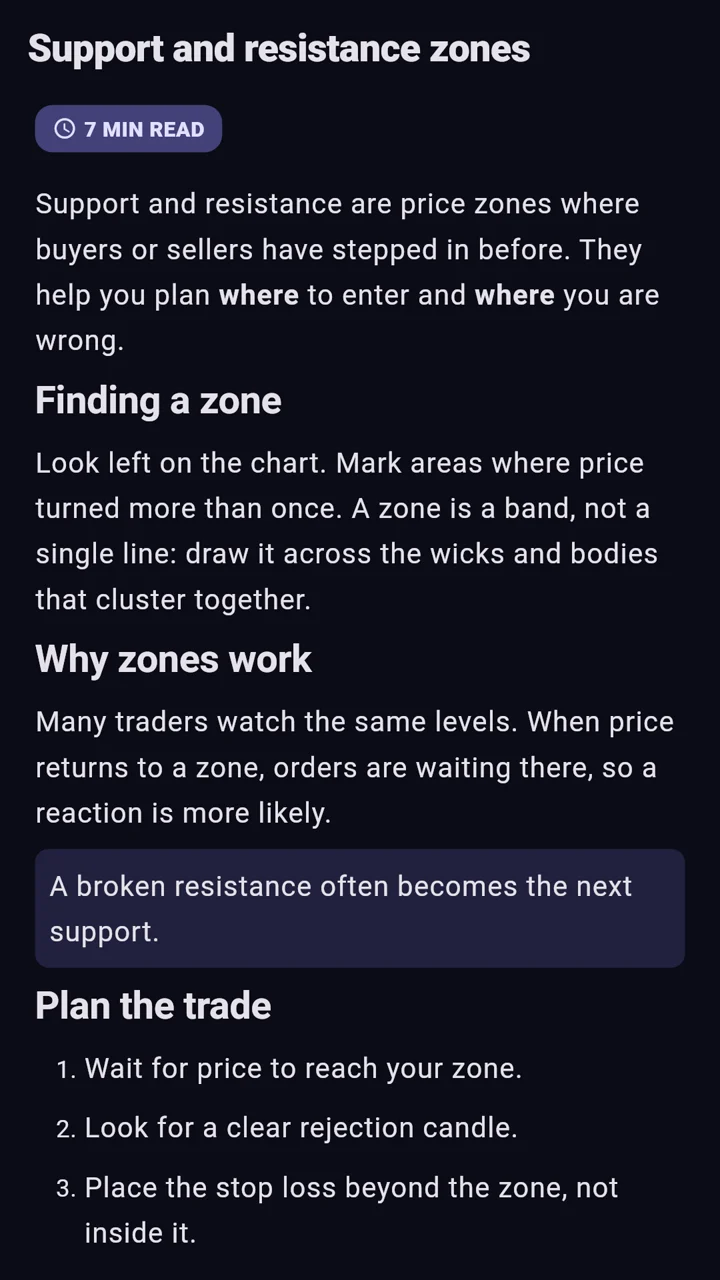
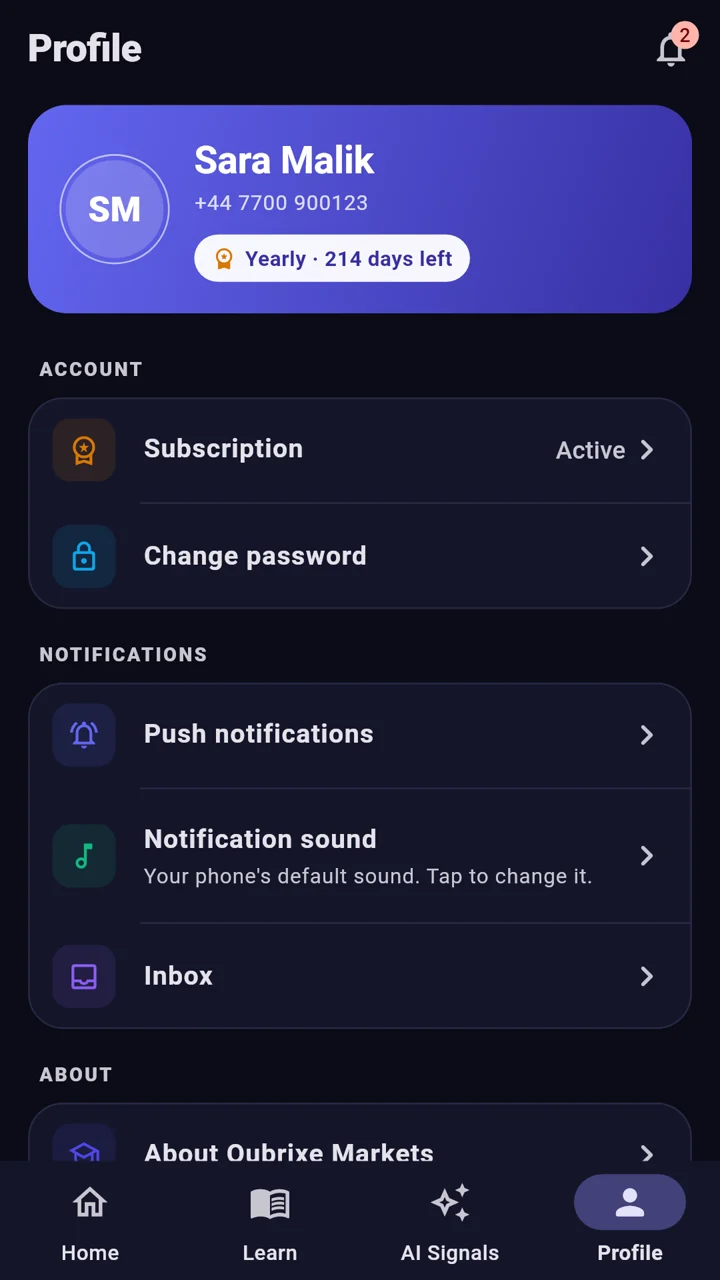
Example screens with sample data.
A course path from your first chart to your first plan
Four stages, in the order a beginner needs them. Risk management comes before any strategy, because protecting your money is the skill that keeps you in the game long enough to learn the rest.
Learn a little every day, see your progress, then practise on real-time ideas.
1
Start with the basics
Pick a course and begin at lesson one: what a market is, how prices move, how to read a chart. Each course shows how far you are, and many lessons are free.
Example screen with sample data.
2
Read short, clear lessons
Each lesson takes a few minutes and explains one idea with a worked example, then ends with what to practise.
Example screen with sample data.
3
Alerts on your terms
New lessons and AI ideas arrive as notifications with your phone's own sound. Change the sound or turn them off from Profile.
Example screen with sample data.
4
Practise on AI-generated ideas
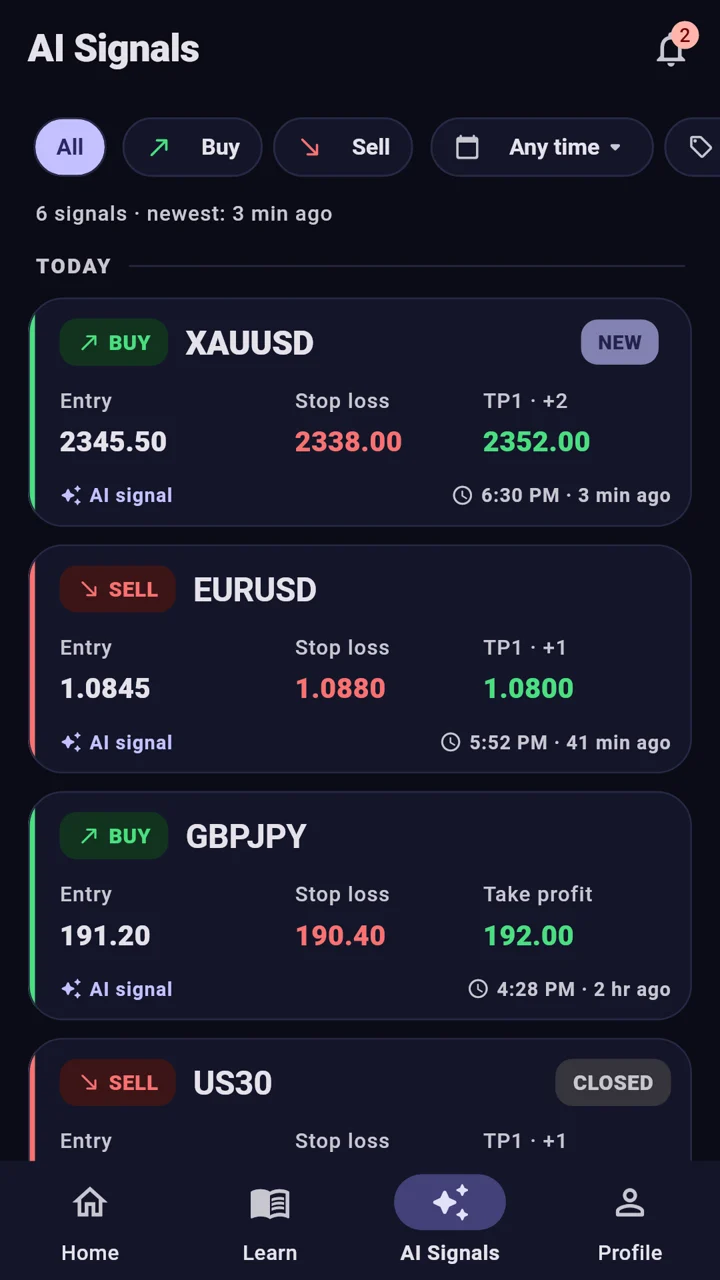
Subscribers see trade ideas our AI generates from market activity, each with an entry, a stop loss and targets.
Example screen with sample data.
5
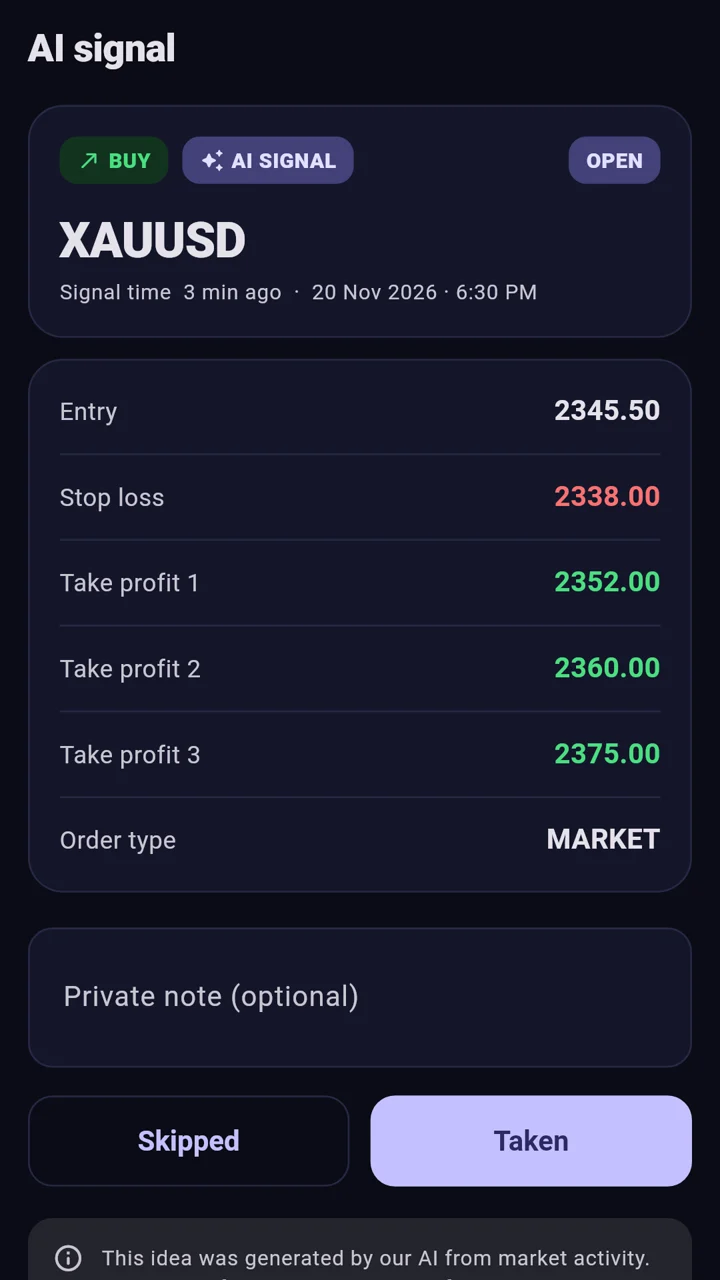
Study every idea in detail
Compare the idea with what you learned, mark it taken or skipped, and keep a private note, like a trading journal.
Example screen with sample data.
Example screens with sample data.
What a lesson reads like
Plain English, one idea at a time, with a worked example and a short checklist at the end. Here is the opening of a risk-management lesson.
Professionals decide how much they are willing to lose first, then work out the trade size. A common beginner rule is to risk no more than 1% of your balance on one trade.
Balance$1,000
Risk 1%$10
Stop loss50 pips
Trade size0.02 lots
Wider stop, smaller trade. The money at risk stays the same.
Pick your risk: 1% of the balance.
Measure the distance to your stop loss.
Size the trade so that distance costs exactly that amount.
AI signals, explained before you ever see one
Our AI reads market activity and writes each trade idea in the same clear shape. Tap any line of this example to see what it means.
BUYXAUUSDAI signal
Entry. The price the idea starts from. By the time you read it the price may have moved, so check it before acting.
Example for learning, not a recommendation.
Green: where the idea aims. Red: what it risks. Sample prices.
Learning to trade is risky enough. The app is designed not to add to it.
Not a broker. Never your money.
No deposits, no trading inside the app. Your money stays with you and the broker you choose.
Risk comes first
Stop losses, position size and risk per trade are taught before strategy. Every AI idea carries a stop loss.
Private by default
No ads and no selling of personal data. Delete your account and your data anytime, from the app.
Alerts your way
New lessons and AI ideas arrive with your phone's own sound. Change or turn them off in a tap.
Start free. Upgrade when you are ready.
Free
Many lessons in every course
Progress tracking
Lessons available offline once opened
Premium
Monthly or yearly subscription through Google Play
Every premium lesson
AI signals with entry, stop loss and targets
Instant alerts for new ideas and updates
Price shown in your currency before you buy. Cancel anytime in Google Play.
Questions beginners ask
Is Qubrixe Markets a broker?
No. Qubrixe Markets is an education app. You cannot buy or sell anything in it, it does not hold your money and it does not connect to your trading account. You choose your own regulated broker if you decide to trade.
Do I need any trading experience?
No. The course path starts at lesson one: what a market is, how prices move and how to read a chart. Every term is explained the first time it appears.
What exactly is an AI signal?
A trade idea our AI generates from market activity: the instrument, the direction (buy or sell), an entry, a stop loss and one or more targets. Subscribers receive them in the app with a notification and can study each one against what they have learned.
Are AI signals financial advice?
No. They are general, educational examples. They do not consider your goals or finances, AI can be wrong, and the price may have moved by the time you read an idea. Use them to practise, ideally on a demo account first.
Is the app free?
The app is free to download and many lessons are free. One monthly or yearly subscription, bought through Google Play, unlocks every premium lesson and the AI signals. The price is shown in your currency before you buy, and you can cancel anytime in Google Play.
Can I lose money trading?
Yes. Trading involves real risk and most beginners lose money while learning. That is why the course puts risk management before strategy and why every AI idea comes with a stop loss. Only trade money you can afford to lose.
When can I download it?
Qubrixe Markets is coming soon to Google Play for Android phones. This page will link to the store listing as soon as it is live.
How do I delete my account?
In the app, open Profile and tap Delete account. Your account and personal data are removed. The delete-your-account page explains what is deleted and what the law requires us to keep.
Start with lesson one.
Qubrixe Markets is coming soon to Google Play for Android.
Coming soon onGoogle Play
Education only. Not a broker. AI-generated ideas are not financial advice. Risk disclaimer